

IISER IAT Admit Card 2026 (Out) – Direct Download Link, Exam Dates & Guidelines
Are you appearing for the IISER Aptitude Test (IAT) 2026? The wait is finally over! The official authorities have activated the hall ticket download link. The IISER IAT Admit Card is a mandatory document, and no candidate will be allowed inside the examination hall without a printed copy of it along with a valid photo ID.
In this comprehensive guide, we will provide you with the direct IISER IAT Admit Card 2026 link, a step-by-step guide on how to download it, important details to check, and crucial exam day instructions. Read this post till the end to ensure you don’t miss out on any vital information that could affect your exam day.
IISER IAT 2026: Quick Overview
Before diving into the download steps, let’s look at the crucial highlights of the IISER Aptitude Test 2026:
| Particulars | Details |
|---|---|
| Exam Name | IISER Aptitude Test (IAT) 2026 |
| Conducting Body | Indian Institutes of Science Education and Research |
| Admit Card Status | Released / Available Now |
| IISER Aptitude Test (IAT) 2026 Examination Date | 7 June 2026 |
| Login Credentials Required | User ID and Password |
| Official Portal Partner | TCS iON (Digialm) |
| Helpdesk Email ID | askjac2026@iiserbpr.ac.in |
| Helpline Number | +91 7205457461 (2 PM to 5 PM, Working Days) |
| Helpline Number (Non Technical) | +917996157222 (Monday to Saturday, 9:00 AM to 6:00 PM) |
How to Download the IISER IAT Admit Card 2026?
Many students face server issues or confusion while navigating the portal. Follow these simple, step-by-step instructions to download your hall ticket without any hassle:
- Step 1: Scroll down to the “Direct Links” section of this article and click on the official TCS iON Login Link.
- Step 2: You will be redirected to the official candidate login page.
- Step 3: Enter your User ID and Password exactly as received during the registration process.
- Step 4: Enter the dynamic Captcha code shown on the screen carefully.
- Step 5: Click on the ‘Login’ button.
- Step 6: Locate the ‘Admit Card’ or ‘Hall Ticket’ tab on your dashboard and click the download icon.
- Step 7: Save the PDF file to your device and take at least two clear color printouts for future reference.
*Link connects to the official Digialm secure server.
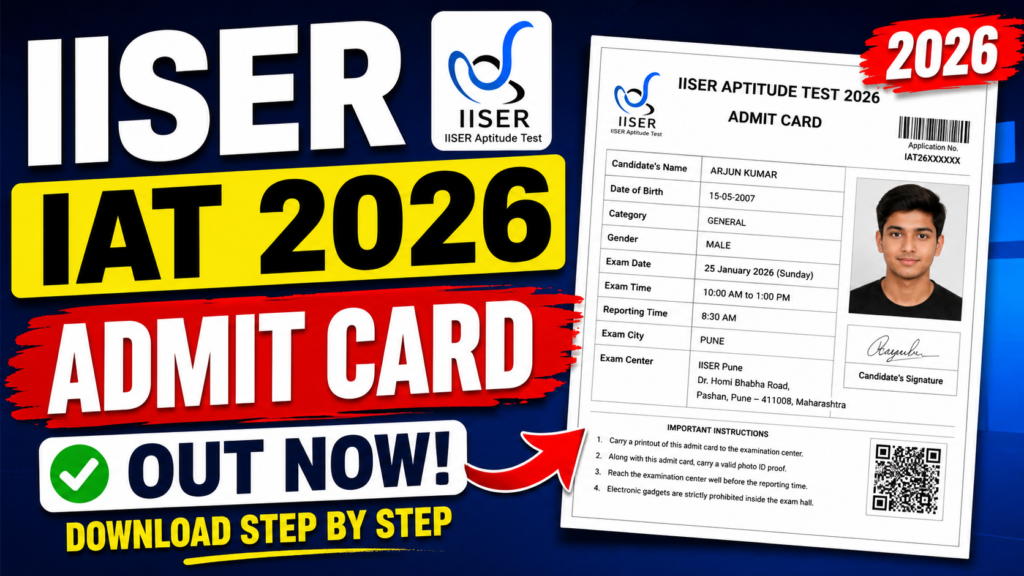
Details Mentioned on Your IAT 2026 Hall Ticket
Once you download the admit card, do not just print it and keep it away. You must cross-verify all the printed information. If there is a mismatch, it could lead to disqualification on the exam day. Check the following details:
- Candidate’s Full Name (Must match your ID proof)
- Roll Number & Application Number
- Photograph and Signature (Ensure they are clearly visible)
- Date of Birth and Category
- Exam Center Name and Complete Address
- Exam Date, Reporting Time, and Gate Closing Time
- Exam Day Guidelines
Crucial Exam Day Guidelines for IISER 2026
To ensure a smooth testing experience, the examination authorities have laid down strict guidelines. Keep these points in mind to maximize your focus and minimize stress:
- Reporting Time: Arrive at the exam center at least 60 minutes before the reporting time to complete biometric verifications and frisking.
- Mandatory Documents: Carry a hard copy of the IAT Admit Card and an original, valid photo ID (Aadhar Card, PAN Card, Voter ID, or Passport).
- Prohibited Items: Electronic gadgets (Smartwatches, Mobile Phones, Bluetooth devices, Calculators) are strictly banned inside the premises.
- Dress Code: Wear simple, comfortable clothes. Avoid garments with large buttons, metallic items, or heavy jewelry. Open footwear like sandals or slippers is preferred over thick-soled shoes.
Frequently Asked Questions (FAQs)
Best of luck to all candidates appearing for the IISER Aptitude Test 2026! If you found this post helpful, bookmark this page for future admission updates and counseling processes.
Leave a Comment